Record the meeting on your Mac. Keep the conversation in focus.
Record meetings locally on your Mac without a bot joining the call. Transcribe recordings, follow live speech and review notes in VoxStudio.
For interviewers, independent professionals and teams who want a local recording workflow without adding a meeting bot to the participant list.
Download for Mac · Compare plans & trial
Apple silicon · macOS 15 or later · 14-day Mac trial
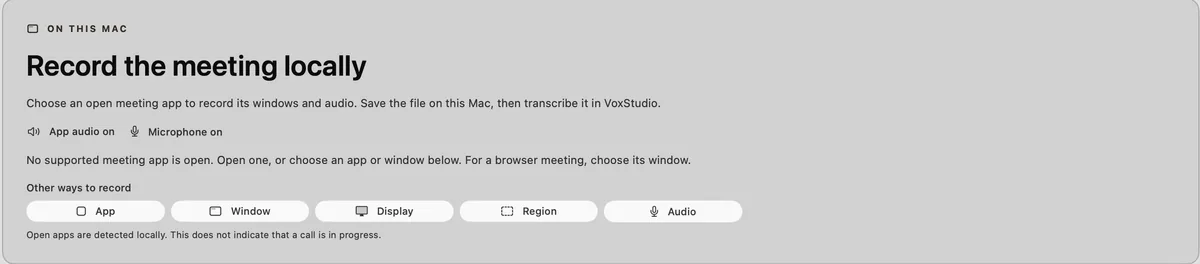
Record the app, without inviting a bot
VoxStudio for Mac detects a running meeting app such as Zoom and offers local recording. Capture the app audio and your microphone, then keep the recording in your Mac library. Tell participants you are recording and follow the consent rules that apply to your meeting.
Follow live speech or review it afterwards
Live Assistant can show Live Transcribe, help expand shorthand notes from the conversation and answer questions about the meeting so far. After recording, review the transcript, correct names and find the passages you need.
Choose local recording or the cloud Meet Bot
Local recording runs on the Mac that captures the meeting. The separate VoxStudio Web Meet Bot joins supported online meetings as a participant and processes the recording in the cloud. Choose the workflow that fits your meeting and storage preferences.
Prepare before the call
Use an Apple silicon Mac with macOS 15 or later, grant the requested recording permissions and download speech models before using local transcription. Keep the microphone enabled when you need your own voice in the recording. AI notes and answers may use your selected cloud or API-key service.
Questions, answered
Can I record Zoom without a bot joining?
Yes. VoxStudio for Mac records the meeting app locally, so a recording bot does not need to join the call. You still need to inform participants and follow the applicable recording rules.
Is the local recorder the same as the Web Meet Bot?
No. The local recorder captures on your Mac. The Web Meet Bot is a separate cloud workflow that joins supported meetings as a participant.
Follow the guides
- Record Zoom on Mac Without Adding a Meeting Bot — Keep the conversation on your Mac. Choose Zoom in Meeting Recorder, capture app audio and your microphone, then make the call searchable.
- Live Transcription on Mac: Stay in the Conversation — Follow the words as they arrive. Jot a keyword, keep listening and return to notes with source timestamps in VoxStudio for Mac.
- Turn a Screen Recording into a Clip Worth Sharing — Show one change, capture its explanation and share the useful part. Move from recording setup to a captioned clip in VoxStudio for Mac.
Blog topics
More Mac workflows
- Offline Transcription for Mac
Transcribe audio and video on your Mac with local speech models, speaker labels and timed captions. Built for Apple silicon and macOS 15 or later.
- AI Knowledge Base for Recordings & MCP
Search across meeting recordings and ask questions with cited sources. Use VoxStudio knowledge in the app, ChatGPT or Claude through Mac and Cloud MCP.