Offline transcription, on your Mac.
Transcribe audio and video on your Mac with local speech models, speaker labels and timed captions. Built for Apple silicon and macOS 15 or later.
For people working with interviews, lectures and recordings who want speech processing and media storage on their own Mac.
Download for Mac · Compare plans & trial
Apple silicon · macOS 15 or later · 14-day Mac trial
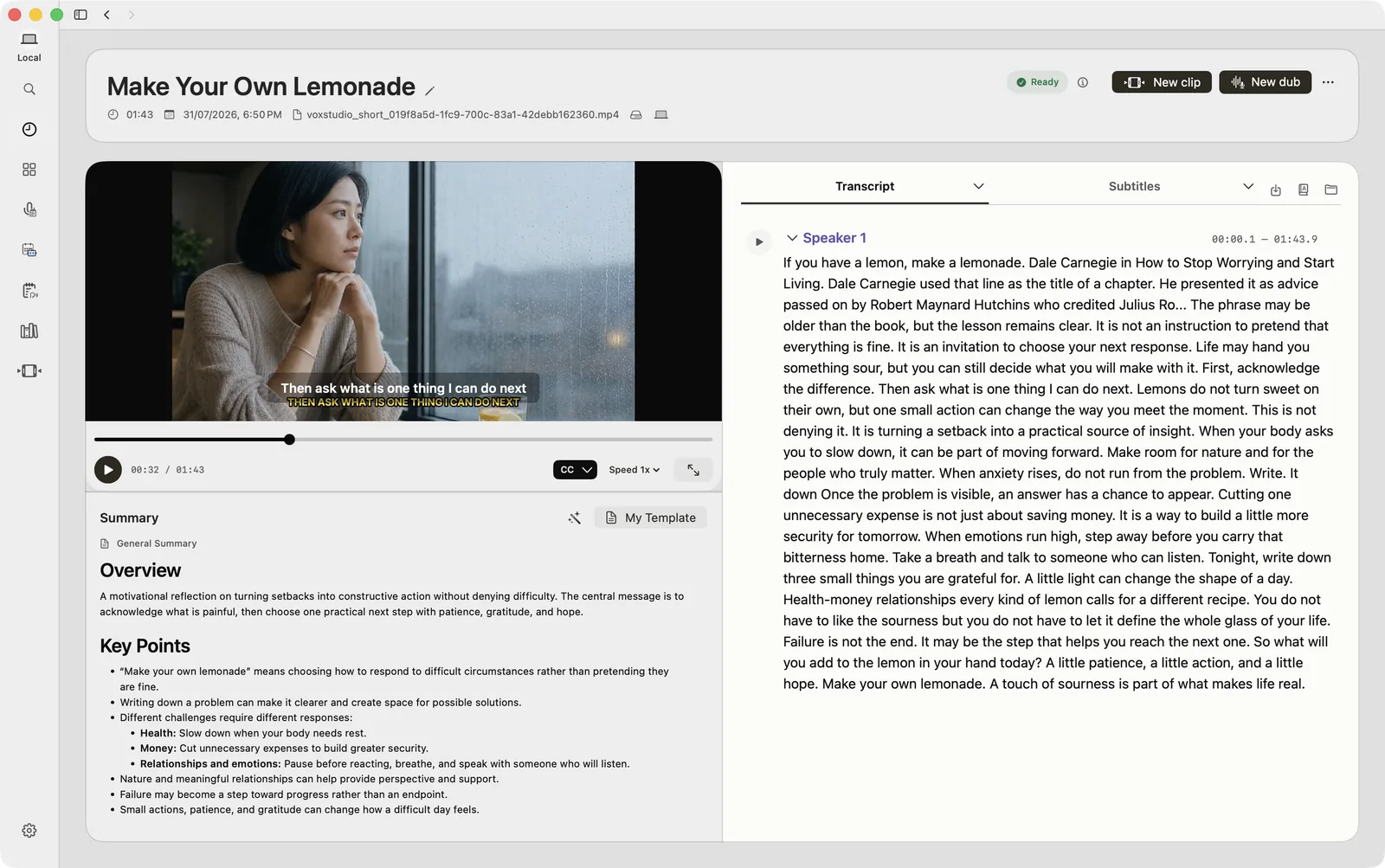
Turn recordings into searchable text
Import audio or video, transcribe with on-device speech models, and review the words beside the player. Speaker labels and timestamps help you follow who said what and return to the original moment.
From transcript to timed captions
Review names and wording in the transcript, refine subtitle timing, and bring captions into the video editor. Keep the transcript, recording and edit together instead of passing files between separate tools.
Prepare your Mac once
VoxStudio requires an Apple silicon Mac running macOS 15 or later. Download the required speech models in Local Features before working offline. Sign in to start the 14-day Mac trial; purchases and access checks require internet.
Know what stays local
Supported transcription, speaker detection and caption tasks run on your Mac after the models are downloaded. Recordings are stored on your Mac. Summaries, translation and AI answers can send the content needed for the task to VoxStudio Cloud or your selected API provider.
Questions, answered
Can I transcribe without an internet connection?
Yes, supported local transcription runs on your Mac once the required models have been downloaded. Account sign-in and access checks still need an internet connection from time to time.
Does offline transcription include cloud AI answers?
Local speech recognition and cloud AI are separate. Summaries, translation and knowledge answers may use the AI service you select and send it the content needed for your request.
Follow the guides
- One Recording. More Ways to Use It on Mac. — Capture a conversation, ask about the transcript and turn the useful part into a video. Keep the work connected in VoxStudio for Mac.
- Add Captions on Mac Without Repeating the Work — Already reviewed the transcript? Bring it straight into the edit. Starting with timeline audio? Generate local captions in VoxStudio and style them before export.
Blog topics
More Mac workflows
- Meeting Recorder for Mac, Without a Bot
Record meetings locally on your Mac without a bot joining the call. Transcribe recordings, follow live speech and review notes in VoxStudio.
- AI Knowledge Base for Recordings & MCP
Search across meeting recordings and ask questions with cited sources. Use VoxStudio knowledge in the app, ChatGPT or Claude through Mac and Cloud MCP.