Turn an interview into a verified quote sheet · Lesson 3 of 3
Turn an Interview Transcript into a Quote Sheet
Review a transcript, return to the recording, and organize useful quotes with their speaker, timestamp and context.
By VoxStudio Team, Product team · · 7 min read
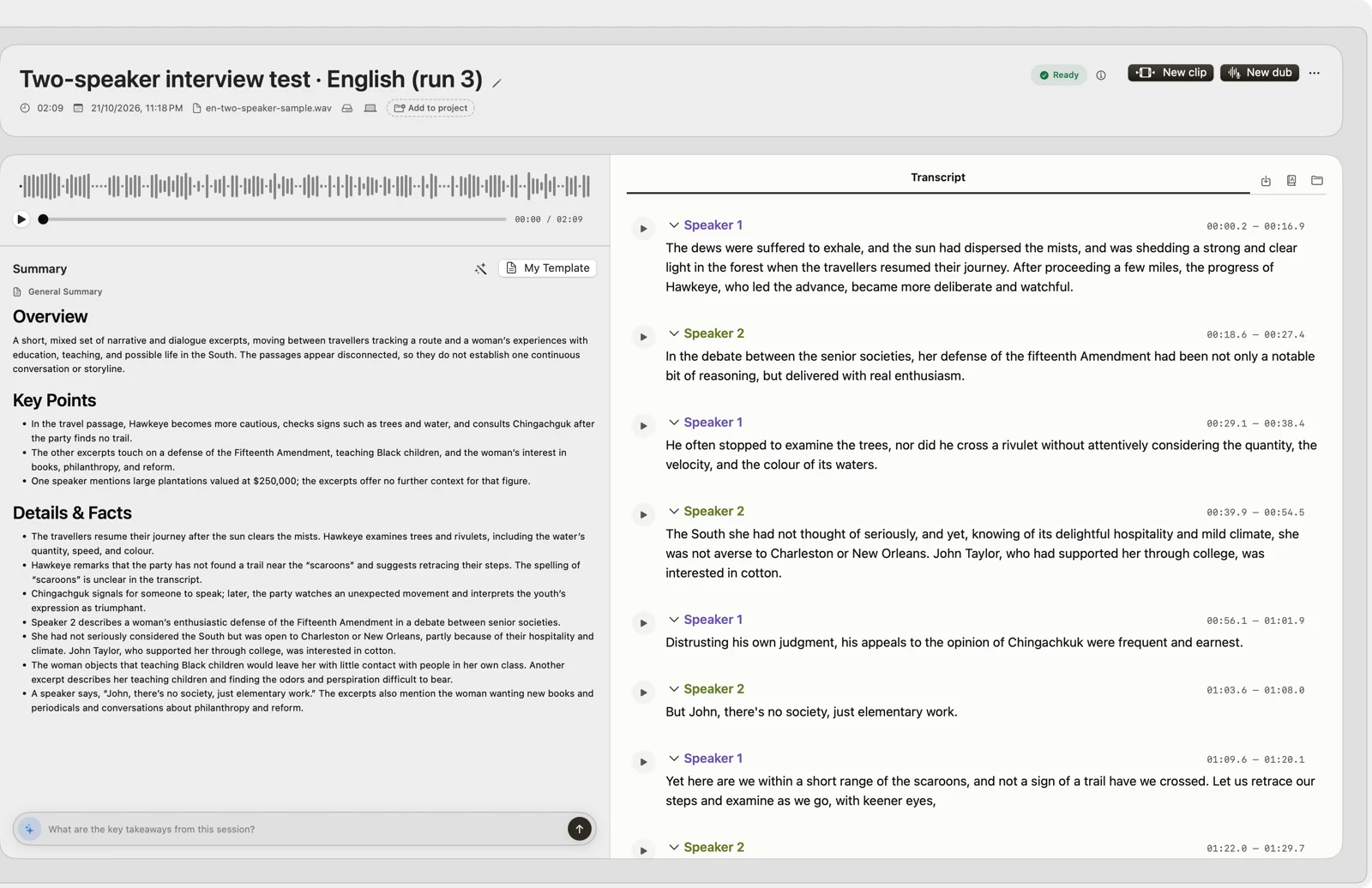
Key takeaways
- Finish with a spreadsheet of three replayed quotes, each with its speaker, time range and context.
- Replay each passage before recording its speaker and time.
- Keep the context with the quote so it is not taken out of context.
What you will finish
A spreadsheet with three quotes you have replayed against the recording. Each row records the session, speaker, start and end time, exact words, surrounding context and intended use. With the practice files from the previous lesson, plan for about 30 minutes.
1. Prepare the recording and transcript
You need an Apple silicon Mac with macOS 15 or later, VoxStudio for Mac, a spreadsheet app, and an interview you have permission to use. Use the speaker-label guide to transcribe it, then review names and speaker labels against the audio. Keep the original transcript and your corrected copy separate. You can practice with the disclosed read-speech examples linked in that guide.
2. Choose and replay three passages
Read the surrounding paragraph before selecting a quote. Prefer passages that make sense without the question that prompted them, or record that question as context. Click the relevant transcript passage to return to the audio; listen before and after the words you intend to use. Correct transcription errors and identify uncertainty rather than guessing. If you leave words out, mark the omission with an ellipsis.
3. Record each quote in a spreadsheet
Open the template in a spreadsheet app. Enter the session name, speaker, start and end times in HH:MM:SS, exact words, surrounding context, and intended use. Take the times from the transcript, then confirm them by replaying. The example row is fictional and illustrates the columns; it is not a VoxStudio test result.
Practice files
- Blank quote sheet
CSV with the seven columns used in this lesson.
- Fictional example row
Shows the expected format. It is not real interview data.
- Speaker-label guide and sample files
4. Check before sharing
Replay every quote, check the speaker and numbers, preserve the surrounding context, and confirm you have permission for the proposed use. Leave unknown names or times blank until verified. This sheet is made in your spreadsheet app; VoxStudio does not generate it automatically.
Common problems
- The label does not match the voice — Speaker labels group similar voices and can be wrong, especially with overlapping speech. Correct the label in the transcript before copying the quote.
- The time is a few seconds off — Replay from slightly earlier and record the moment the sentence starts. Use the same rule for every row.
- The quote only makes sense with the question — Put the question or the preceding sentence in the context column rather than editing the quote.
- Text looks garbled after opening the CSV — Import the file as UTF-8. In Excel, use Data > From Text/CSV and choose UTF-8; Numbers and Google Sheets usually detect it.
Next step
If the same people appear in many recordings, the optional voice-library lesson shows how to name enrolled voices and check speakers who are not enrolled. A voice match is a suggestion to verify, not proof of identity.
About this lesson
The VoxStudio team wrote this lesson and its template on October 30, 2026. The transcription and speaker-label results it builds on are documented, with their limits, in the linked guides. The example row is fictional. We have not yet had an independent reader complete the full series, and will update this page with what they find.
FAQ
Does VoxStudio create the quote sheet automatically?
No. Use VoxStudio to review the transcript and recording, then fill in the supplied spreadsheet template yourself.
Can a speaker label identify the person?
A label groups similar voices and can be wrong. Verify the identity against the recording before naming a speaker.
Should I correct grammar or filler words in a quote?
Keep the exact words in the quote column. If you shorten a passage, mark the omission with an ellipsis and keep the full passage in the context column.
Explore the Mac workflows
- AI Knowledge Base for Recordings & MCP
Search across meeting recordings and ask questions with cited sources. Use VoxStudio knowledge in the app, ChatGPT or Claude through Mac and Cloud MCP.
Start with a recording you can check.
Transcribe on your Mac, review the words and return to the source. Download for Mac · Compare plans & trial
VoxStudio Team — We build VoxStudio. This guide records our own tests, their limits and the files needed to reproduce them.