From a video or recording to searchable text · Lesson 2 of 3
How to Extract Audio from a Video (MP4 to MP3) Free, Without Uploading
Four ways to turn an MP4 or MOV into MP3 or M4A: in your browser without uploading, with QuickTime on Mac, with an iPhone shortcut, or with ffmpeg.
By VoxStudio Team, Product team · · 7 min read
Key takeaways
- The free browser editor extracts the audio track from an MP4 or MOV and exports MP3, M4A or WAV without uploading the video.
- On a Mac, QuickTime Player can export audio only as M4A; an iPhone shortcut can do the same.
- ffmpeg gives you scripted, batch conversion when you have many files.
What you will finish
An audio file from your video: the soundtrack as MP3 or M4A, ready for a podcast feed, a music player or a transcription tool. Pick the route that matches your device and how many files you have.
Choose a route
All four keep the original video untouched. The browser route needs no install and no upload.
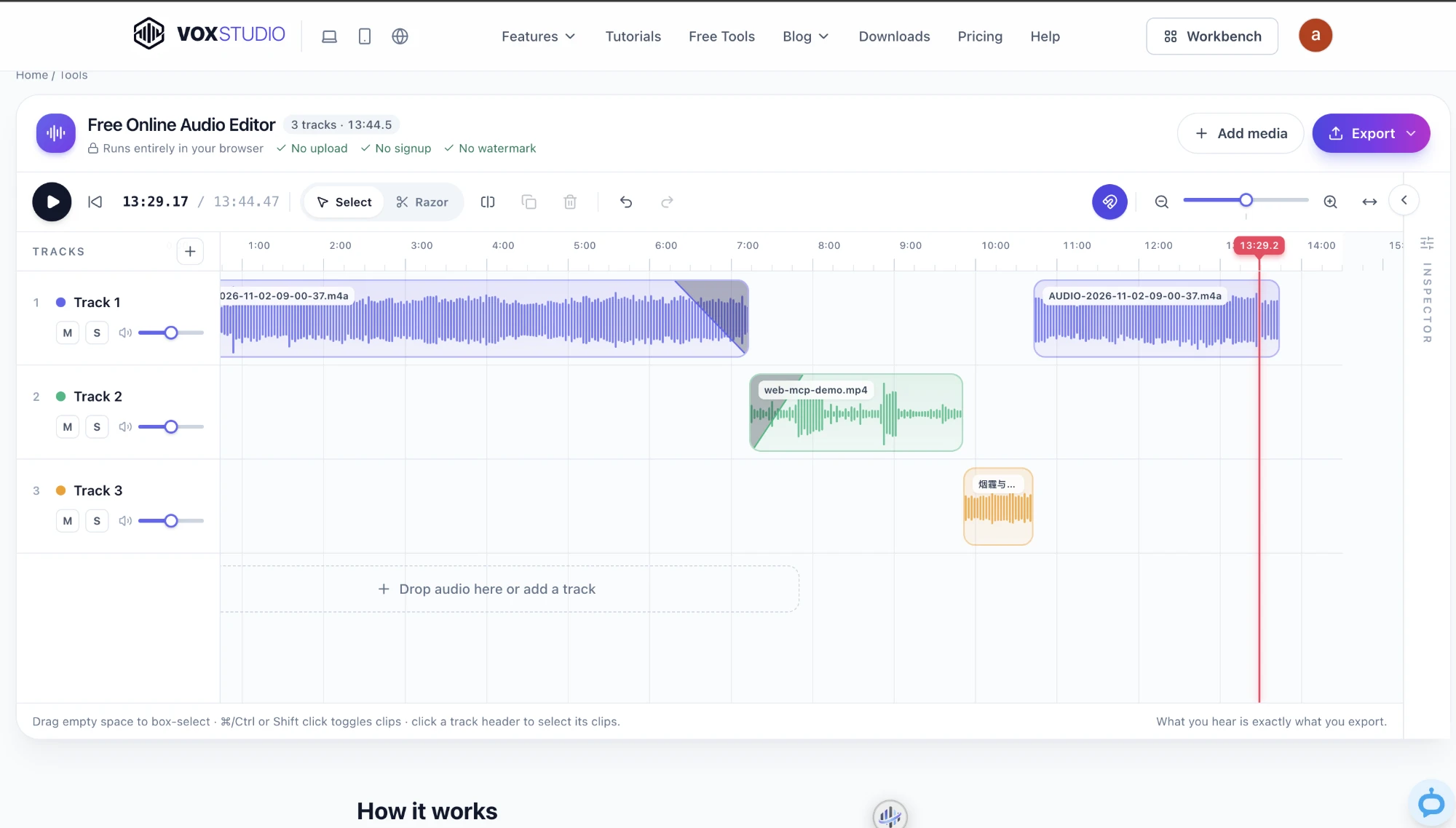
Browser: Use the free browser editor
Drop the video in, trim if needed, export MP3.
Best for: One or a few files on any computer Result: An MP3, M4A or WAV file, made on your device
Open the free audio editor
Go to the Free Online Audio Editor. Nothing is uploaded, and no account is needed.
Add the video
Drag the MP4 or MOV onto the timeline. Its audio track appears as a clip.
Trim the part you want
Drag the clip edges, or split and delete sections you do not need.
Export as MP3
Open Export, choose MP3 and a quality, render, then download.
Mac: Use QuickTime Player
Export the video as audio only.
Best for: A single file on a Mac, no browser needed Result: An M4A file
Open the video in QuickTime Player
Control-click the file and choose Open With, then QuickTime Player.
Export audio only
Choose File, Export As, Audio Only. The result is an M4A file.
iPhone: Use a Shortcut
Build a shortcut that keeps only the audio.
Best for: Videos on your phone Result: An audio file in Files
Create the shortcut
In Shortcuts, add Receive input from Share Sheet, then Encode Media with Audio Only turned on.
Run it from the Share Sheet
Share a video to the shortcut, then save the result with Save File.
Command line: Use ffmpeg
One command per file, easy to loop.
Best for: Batches and automation Result: MP3 files
Install ffmpeg
Install it with your package manager, for example Homebrew on a Mac.
Run the conversion
Run: ffmpeg -i input.mp4 -vn -c:a libmp3lame -q:a 2 output.mp3. The -vn flag drops the video, and -q:a 2 is a high-quality variable bitrate.
MP3 or M4A?
| MP3 | M4A (AAC) | |
|---|---|---|
| Compatibility | Plays almost everywhere | Plays on Apple devices and most modern players |
| Quality at a small size | Good | Usually slightly better at the same bitrate |
| Choose it when | You are sharing the file or uploading to a podcast host | You are keeping it on Apple devices or want compact files |
Common problems
- The video has no audio clip — Some screen recordings have no audio track. Check that the original plays with sound.
- The file will not open in the browser — Try a current browser. If the video uses an uncommon codec, convert it with ffmpeg first.
- The MP3 is much larger than expected — Choose a lower quality such as 128k for speech.
Next: turn the audio into a transcript
Audio is easier to search and reuse as text. Upload the file to VoxStudio on the web to get a transcript with speaker labels, then translate it. For recordings that should not leave your computer, VoxStudio for Mac transcribes on-device once its speech models are downloaded.
FAQ
How do I convert MP4 to MP3 for free?
Open the free browser audio editor, add the MP4, choose MP3 in the export menu and download. The video is not uploaded.
Does extracting audio reduce quality?
Extracting copies the audio from the video, but exporting to MP3 or M4A re-encodes it with lossy compression. Choose WAV or FLAC if you need no further loss.
Can I extract audio on an iPhone?
Yes. Build a Shortcut that uses Encode Media with Audio Only turned on, then run it from the Share Sheet.
Can I extract audio from many videos at once?
For batches, a command such as ffmpeg in a loop is the practical choice. The browser editor works one project at a time.
Explore the Mac workflows
Extract the audio now
Drop your video into the free editor and export MP3. Nothing is uploaded. Open the free audio editor · Compare plans & trial
VoxStudio Team — We build VoxStudio. This guide records our own tests, their limits and the files needed to reproduce them.