Cut Clips From a Long Video Without Listening to It Again
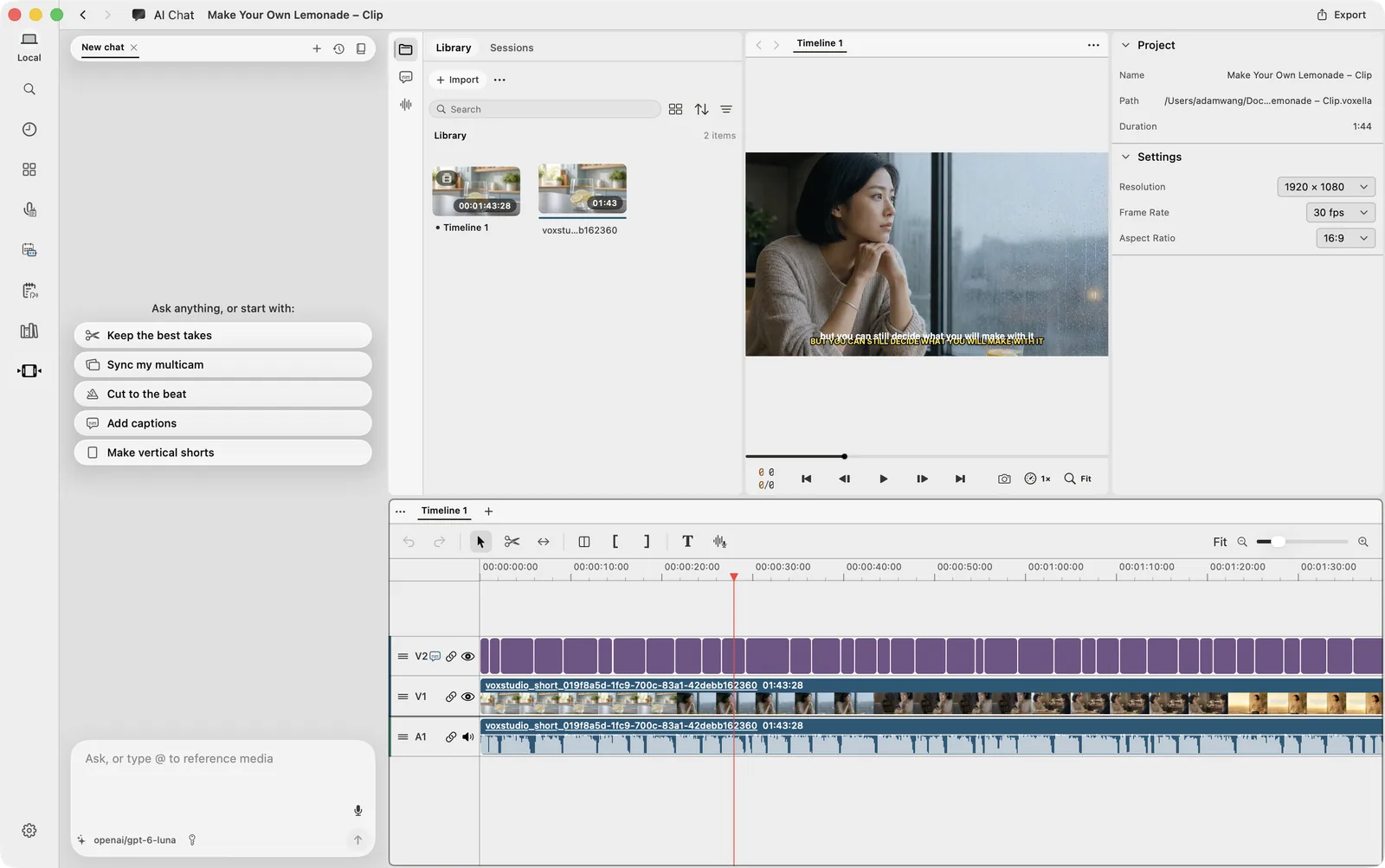
Finding clips in a long video means listening, scrubbing and listening again. In VoxStudio for Mac you describe the clip in a chat, and it finds the moments from word-level timestamps, places them on a new timeline and exports.
By David, Product Specialist at VoxStudio · · Updated · 6 min read
Key takeaways
- The slow part of clipping a long video is finding the moments, not cutting them.
- In VoxStudio, describe the clip in AI Chat (or in ChatGPT or Claude through MCP). It finds the moments, cuts on whole words, puts them on a new timeline and exports.
- A clear request (one idea, a length, a last line) gets you the clip you meant on the first try.
The real cost of clipping: listening, over and over
You have a one-hour interview and want three short clips. You remember roughly what was said, but not where. So you drag the playhead, listen for a few seconds, drag again. When you find the line, you set the in and out points by ear, cut half a word, undo, and try again. Then you do it for the next clip.
Cutting takes seconds. Finding takes most of the hour, and you have to listen to the same material again and again to do it.
Now: describe the clip, and VoxStudio finds it
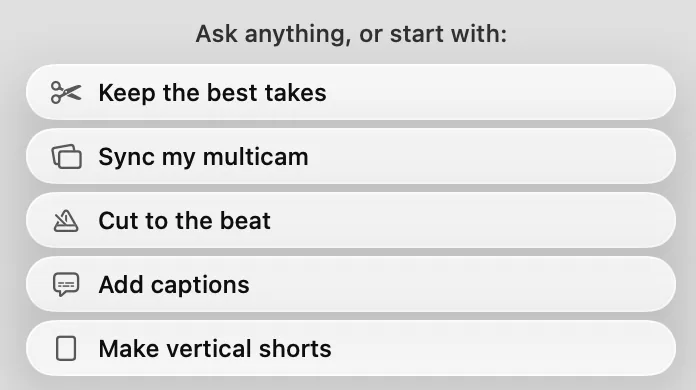
In VoxStudio for Mac you can say what you want instead of searching for it. Open a project, type the request in AI Chat, and the app does the finding and the cutting:
What happens after you ask
- 1. Finds the moments — It searches the transcript and subtitle cues for passages that match your request, by words and by meaning.
- 2. Cuts on whole words — Word-level timestamps tell it where each word starts and ends, so a clip begins and ends on a full sentence.
- 3. Builds a new timeline — The clips go on a separate timeline in story order. Your full video stays untouched.
- 4. Adds captions and exports — It can add captions from the audio and export the finished clip when you are happy with it.
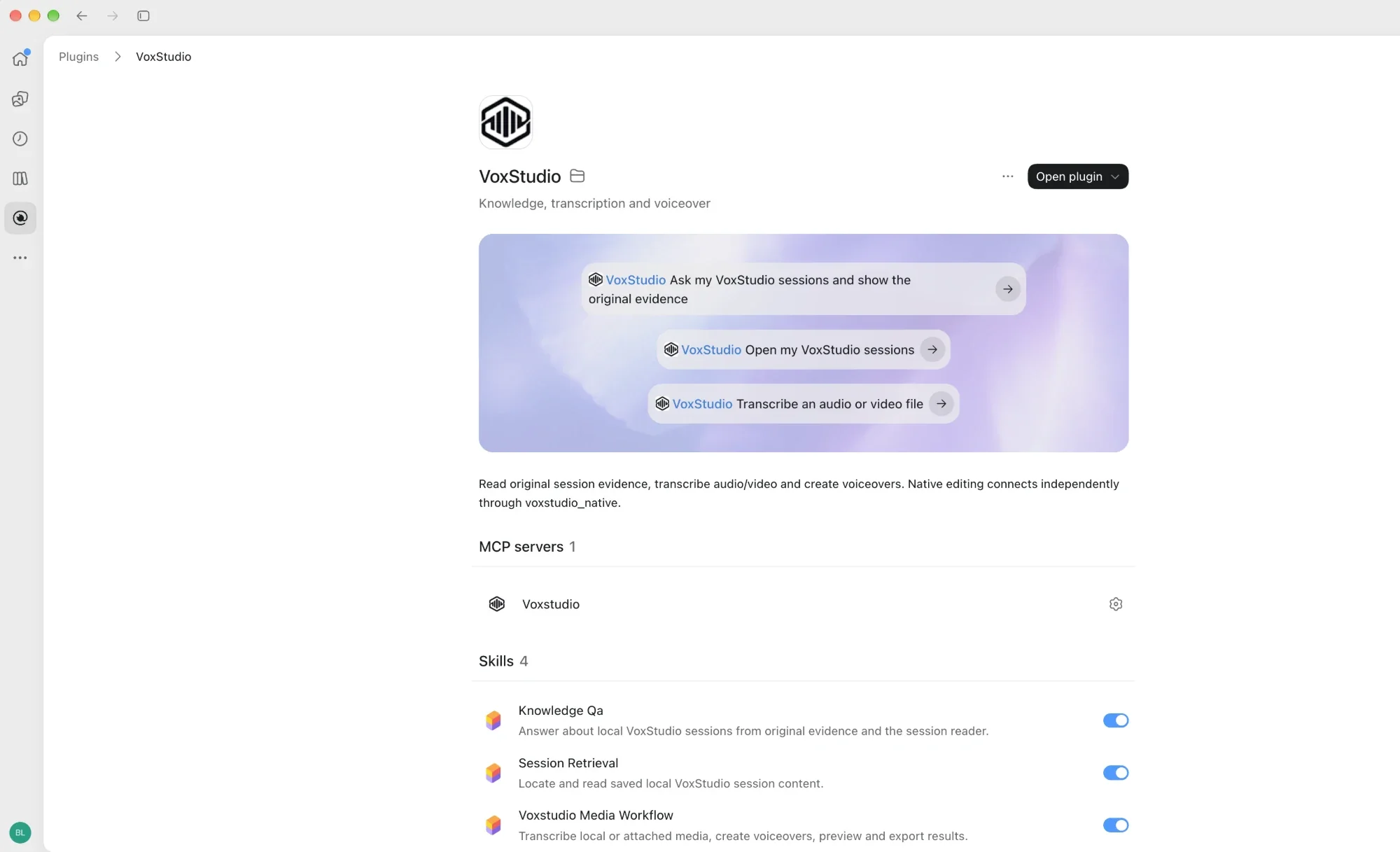
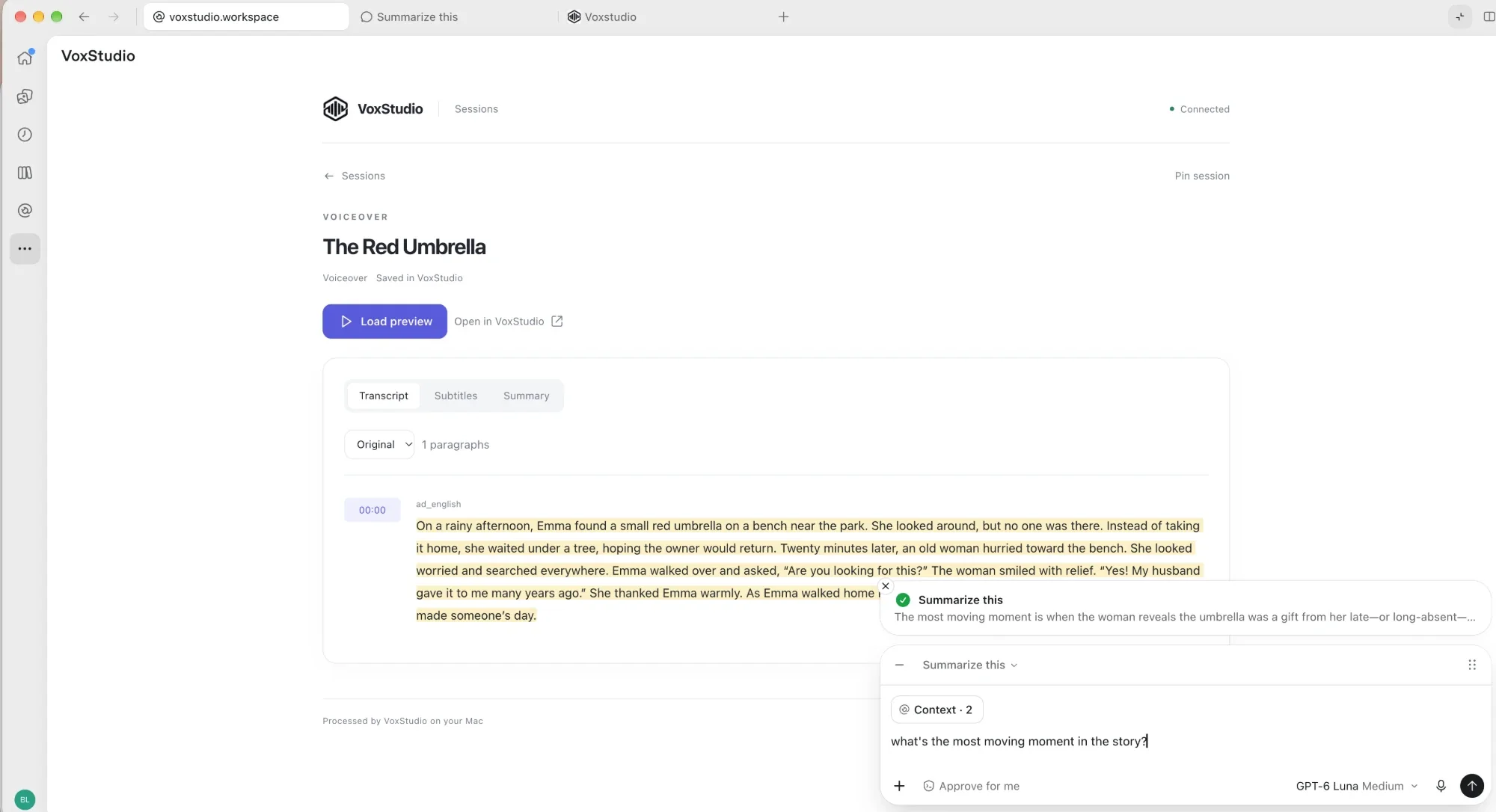
Prefer ChatGPT or Claude? The same editing tools are available to them through MCP (Model Context Protocol, a standard way to connect apps to an AI assistant). Ask in the assistant you already use, and VoxStudio on your Mac does the work.
Why it lands on the right words
Two things from transcription make this possible. Subtitle cues are the caption lines, each with a start and end time, so a sentence can be found by what it says. Word-level timestamps go further: every single word has its own time. Together they let VoxStudio jump straight to the line you described and cut exactly before the first word and after the last, without anyone listening for it.
Finding a clip, before and after
| By ear | With VoxStudio | |
|---|---|---|
| Finding the moment | Scrub and listen until you hear it | Describe it; matching passages are found from the transcript |
| In and out points | Set by ear, often a syllable off | Set on word boundaries from word-level timestamps |
| Captions | Typed or timed by hand | Generated from the clip's audio |
| A second version | Start over | Ask again; each version gets its own timeline |
How to ask so you get the clip you meant
"Make a short from this" works, but the result is a guess. A few extra words remove the guessing:
Put these in your request
- One idea — The single point the clip makes. One clip, one point.
- Length — 30 to 45 seconds suits most talking videos.
- Last line — If you know how it should end, say so.
- Leave out — Side stories, a second example, repeats, long pauses.
- Ground rules — Only the speaker's own words, on a new timeline, and show me before exporting.
For the 1 minute 44 second talk "Make Your Own Lemonade", that becomes: "Make a 30–45 second vertical short about what to do when you feel stuck. Keep the part about writing the problem down and end on 'Make your own lemonade.' Use only the original narration, put it on a new timeline, add captions, and show me the cut before exporting."
One quick check before export
Thirty seconds well spent
- Watch once with sound — Listen at every join for a rushed breath or a clipped word.
- Watch once on mute — If the captions alone tell the story, the clip works on a phone.
- Check names and numbers — They are where transcripts and captions slip most often.
Take it with you: a reusable skill
We wrote this way of asking into a skill: a short instruction file that tells an assistant to get the brief first, pick whole sentences, build on a new timeline and check with you before export. It names the VoxStudio tools it uses.
In Claude Code, save it as ~/.claude/skills/short-video-from-long-video/SKILL.md and it is used when you ask for a short. In other assistants, paste its contents into your project instructions or at the start of the chat.
Download
- SKILL.md: short video from a long video
Plain Markdown, about 4 KB. Free to use and adapt.
Where to start
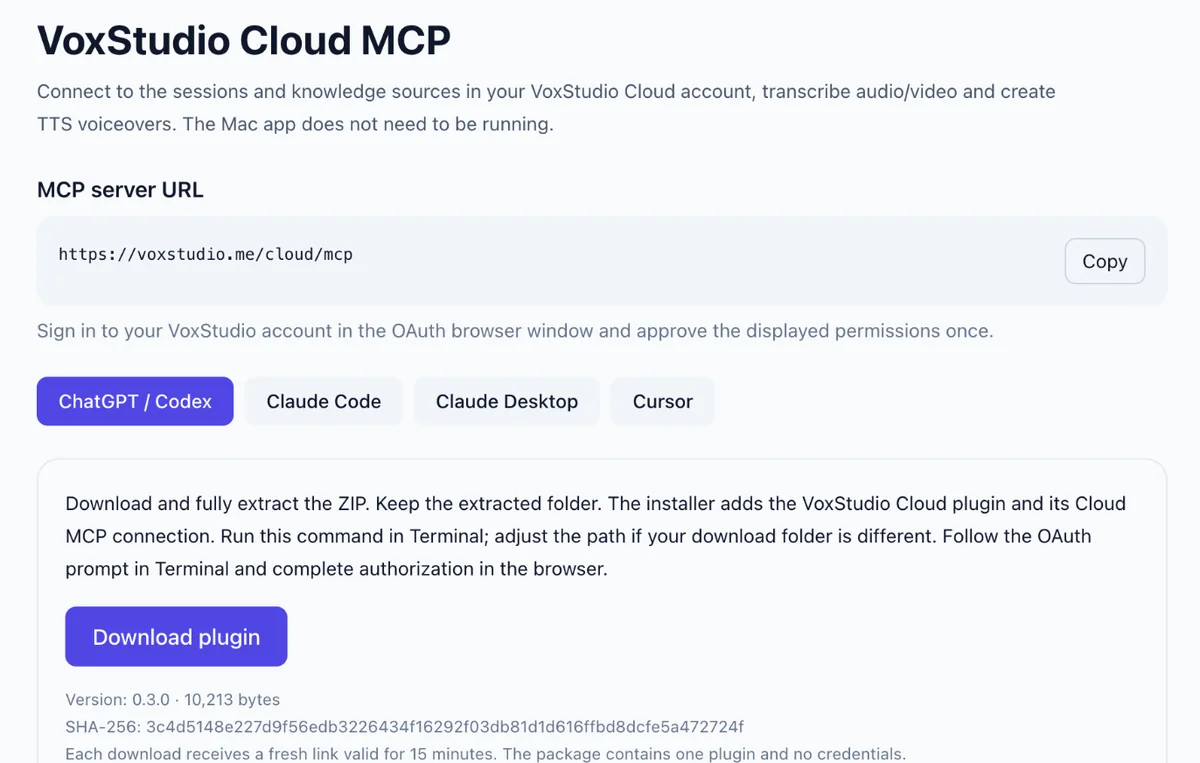
The quickest way is AI Chat in the VoxStudio for Mac video editor: nothing to connect. To ask from ChatGPT, Codex, Claude or Cursor on the same Mac, use the MCP server built into the app. VoxStudio Cloud MCP connects those assistants to your cloud sessions, transcripts and voiceovers with one URL and a single sign-in, but editing on a timeline needs the Mac app.
What to expect
Word-level timestamps come from speech recognition, so they are precise but not perfect, and the AI can still pick a line you would not. That is why the clip lands on its own timeline and waits for your check. Expect a usable first cut in minutes instead of an hour of listening.
FAQ
How do I find clips in a long video without listening to all of it?
In VoxStudio for Mac, describe the clip in AI Chat in the video editor. It searches the transcript and subtitle cues, trims to whole words with word-level timestamps and places the clips on a new timeline.
Can VoxStudio export the clip for me?
Yes. After you review the new timeline, ask it to export, or use Export in the editor.
Can I do this from ChatGPT or Claude?
Yes. Through MCP, assistants on the same Mac can use the VoxStudio editor's tools: find moments, add clips, add captions and export.
What are word-level timestamps?
A start time for every word in the transcript. They let the editor cut exactly at a word boundary instead of by ear.
Will it change my original video?
Not when you ask for a new timeline, which the request above and the skill both do. The original timeline and source files stay as they are.
Explore the Mac workflows
- Offline Transcription for Mac
Transcribe audio and video on your Mac with local speech models, speaker labels and timed captions. Built for Apple silicon and macOS 15 or later.
Stop listening for the clip. Ask for it.
Open a long video in VoxStudio for Mac, describe the clip you want in AI Chat, and review it on a new timeline before you export. Download for Mac · Compare plans & trial
David — David works on the VoxStudio product team and spends most days inside the video editor, turning real customer workflows into faster ones.